Posts

Setting Up RetroPie the Easy Way

 It's been a while since my last post, but I've finally come up with an easy way to set up RetroPie. RetroPie is nice, but it's got a lot of text configuration files to wade through. The process I lay out here makes it far easier to get a working RetroPie install set up with lots of pre-configured niceties.

Overclocking the Raspberry Pi 4 for Fun and Games

 This is the belated first part of a series of posts on getting a Raspberry Pi working with RetroPie for some sweet retro gaming. The Raspberry Pi is a fun, way too small computer that is great for all sorts of stuff, but especially for playing old video games with. It should be noted that I bought mine near the end of 2020, when they were actually available in stores. I also bought an Argon One Pi 4 case for it, and so it stays (relatively) cool when I overclock it. Unfortunately, I lost the piece of paper where I had the overclock values written down, and so I started over from scratch. The following process is how I figured out the overclocking values I'll use, and you can too if you follow along. This is aimed at the Pi 4 or 400, but some of it should be applicable to the Pi 3 and below with some tweaking to the numbers used. Be sure to have a paper and pencil handy for writing the speeds you've achieved down. The first thing you'll need (aside from the Pi and a case, o...

Another Update

 It's been quite a while since my last post, but if you've paying attention to my YouTube channel, I've been doing stuff, just nothing related to this blog. I should be able to get another blog post up by the end of the weekend, which will be the first in a series of posts. No, the post has nothing to do with the original purpose of this blog. I have no idea when I'm going to start working on BASIC Wrangler again, and work on the game will have to wait until I've finished what I was doing before with that.

Mac Emulator Videos

 So, I finally finished the Mac Emulator Setup videos I'd been working on. It took a lot longer than I had planned to edit them together, but they're up now. It may be a while before I start on the next set of emulator setup videos, as my DVR is way too full right now, and I also want to get the platinum trophy for NieR Replicant at some point. Also, here's a link to a set of Mini vMac emulators I compiled. It includes instructions about how to compile versions of it for yourself if you want to, but the ones in the file should work pretty well, albeit the default speed setting is to a realistic speed, so you may want to change the speed when installing stuff.

I'm Back

 As the title says, I'm back. I'm done with the really annoying stuff with my mother's estate, and so I now have some free time to get back to work on this stuff. The first thing I've got is a video about installing the Apple IIGS System Software. But it's not just that. I've also compiled some useful stuff you can install afterwards to add functionality and fix bugs, and I also made a tutorial about converting images from modern computers to use as a desktop background on the IIGS. That was originally going to be a separate video, but it wasn't that long, so I tacked it on the end of the install tutorial. I've got more of these tutorials planned, but they take a surprisingly long amount of time to make, so don't expect another one for a while... I'm basically working on Valve Time here. If you want to watch it, just click here.

Hiatus

In case in you hadn't noticed, both my blog and YouTube channel haven't been getting many updates for the last year or so. I had been hoping to make more progress with my videos and programming projects this year. I was starting to make some progress again, and was working on my next video when tragedy struck, literally. The long and short of it is that my mother passed away. We knew that it would happen someday , but neither of us thought that it would happen so soon. We figured it was 5 or 10 years out. Now I have to deal with the estate, and try to figure out what to do next with my life, as I had been acting as her full-time caretaker for years. I'm definitely not done with my channel, this blog, or my projects, but other matters will have to take precedence for now. If I finish up more videos, then I'll post them, but don't expect much for now.

CoCo 3 NitrOS-9 Emulator VHD Install Disks

Image
OK, so I've been putting more work into getting emulators installed on my computer again, and I decided to take a quick little dip into OS-9 for the Tandy Color Computer 3. Or to be more precise, NitrOS-9 . There are some pre-made VHD files out there, but those are years old, and the installation files from Robert Gault are even older. (UPDATE: There are pre-built images with lots of extra stuff included available from NitrOS-9 Ease of Use .) So, I played around with the NitrOS-9 build files, and compiled some installation disks based on the latest sources. I've put a video guide on how to set up your own VHD up on my YouTube page available  here . The actual installation disks, with written instructions and a source code patch are up on my Dropbox  here .

Trying to get productive again

As the title says, I'm trying to get productive again. First, I still can't find where I wrote down what I needed to work on next for BASIC Wrangler. Secondly, I managed to delete all my emulator installs. So, I'm working on getting them up and running again. The first fruit of my labor is an updated build of Epple II, available here. I'm also thinking of making a few set-up videos for some of the emulators, as some of them (especially the ones that require OS installs) can be a bit of a pain to get working properly.

Still Alive

 It's been a long time since I last updated this. I got side-tracked with other stuff, and at this point, have completely forgotten where I last left off. Luckily, I wrote down what I was going to do next. Unluckily, I lost the piece of paper it was written on. Hopefully, I'll find it sooner rather than later, and can get back to working on this project.

BASIC Wrangler Version 0.6.0

I've just released a new version of BASIC Wrangler here. I added tokenizer rules for Amstrad CPC, BBC Micro, Coleco ADAM, MSX, and Oric BASIC, and updated the renumbering routine with a tokenizer. The big news is that labels no longer have to start with an underscore! I also improved the Sinclair BASIC laziness features with automatic LET and GOTO after THEN insertion, so you don't need to worry about your programs failing because you forgot to add them. Conversely, it no longer outputs LET or GOTO after THEN for other BASIC dialects in order to save space. For the next version, I'm planning on adding support for long variable names, with automatic renaming down to a name that the BASIC dialect can use.

BASIC Wrangler Version 0.5.1

I've just released a new version of BASIC Wrangler here. This version was focused on making it available through pip from PyPI. If you have Python installed on your system, you can install it by typing pip install basic-wrangler . None of the external functionality should have changed. I've also changed the Windows installer to use a 32-bit version of Python, as 64-bit was kinda overkill.

BASIC Wrangler v0.05.0

I've just released a new version of BASIC Wrangler here. It took longer than I thought to get a stand-alone Windows version working with pyinstaller, but I managed to do it somehow. This version adds a few new conversion targets, and revamps the convert command's interface to be more like the renumber command. It'll also handle the whole annoying Commodore uppercase/lowercase thing correctly.

BASIC Wrangler v0.04.0

I've finished the next version of BASIC Wrangler. It now has support for converting from numbered BASIC listings without needing an external program. It should be able to handle most programs, but there's probably still going to be a few glitches if it encounters keywords that it doesn't know about. I'm going to add keywords for more BASIC dialects before the next release. You can grab a zip file of it here.

The next phase of BASIC Wrangler development

It's been awhile, but I'm finally ready to resume development of BASIC Wrangler. The next major version should finally be able to convert from a numbered BASIC listing to a labeled listing. I'm using this as an opportunity to start converting it to use tokenization to process the listings. I thought about using PLY , but I really don't need its parsing capabilities, and so I've decided to use this lexer. After I decided to use that, I realized that I would need lists of BASIC keywords, and so I had to type up a bunch of files of keywords, so I could then process those into regex definitions to feed into the lexer. The current plan is to write the tokenizer to run in three passes: pass 1 to populate a list of all the lines in the listing for a sanity check, pass 2 to find all the jump targets, and pass 3 to replace the jump targets with labels and to reformat the listing.

BASIC Wrangler v0.03.0

Version 0.03.0 has been released. It now uses QBasic-style labels, and I currently have no plans to change that. All in all, everything should work better, and so it's actually worth trying out, even though I consider it to still be an alpha release. Note that you now need to type "renum" before the basic type regardless of what the readme says (see? still alpha quality). I put some work into the DATA statement reformatter, and so that should hopefully work properly with anything you toss at it, but there may still be some bugs. The pip requirements have changed, so be sure to check the README.md for those. Any feedback would be welcome at this point. My next goal is to add a denumbering routine to finally make it independent of non-Python dependencies. Hopefully, this will be into beta testing by the end of the year.

BASIC Wrangler v0.02.0

Image
OK, I've released version 0.02.0 of BASIC Wrangler. It's actually somewhat usable now. It also has a GUI, as you can see. It might be worth playing around with, but I'm probably going to end up rewriting half of it before I'm done, and so the formatting of input files will almost certainly change, which will require re-conversion of the files.

BASIC Wrangler v 0.01.0

I've finished up the initial release of BASIC Wrangler. You can find it here. It's very much super-alpha quality, and it probably only works with the Battle System Test, but it's a start.

Tool Writing, Part 1

When I started this blog, I said it not only be about BASIC, but also about other tools that I would write. Well, I've started writing one of those tools. It's a pre-processor called BASIC Wrangler.

Porting Programs to Sinclair BASIC

Image
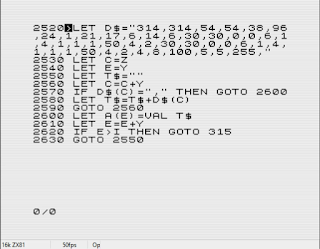
The ZX81 and ZX Spectrum were both ridiculously popular computers back in the 1980s. Especially in Europe. However, the variant of BASIC they used was... quirky, to say the least. It's extremely difficult and time consuming to port programs to Sinclair BASIC. In this post, I'll describe how to do it. Also, this video is mostly about this process, so it might be worth watching.

Battle System Test Version 1 Release

I've put the source code for the first release of the Battle Test up on GitHub . You'll find all the tape and disk images in a 7z file under the releases tab. It's a minimal implementation of the first battle from Final Fantasy VII, done as a scrolling set of text menus. It's not much of a game, but you can play it on almost any computer you can think of, and it's all written in glorious BASIC code.